← Back to all work

Job Connect · Product design · Desktop web app

Three user roles.
One coherent platform.

Redesigning an AI-assisted recruitment platform so job seekers, employers and ambassadors could understand where they belonged—and what automation was doing for them.

My role
UI/UX designer
Timeline
2 months
Team
Founder, developer and UI/UX designer
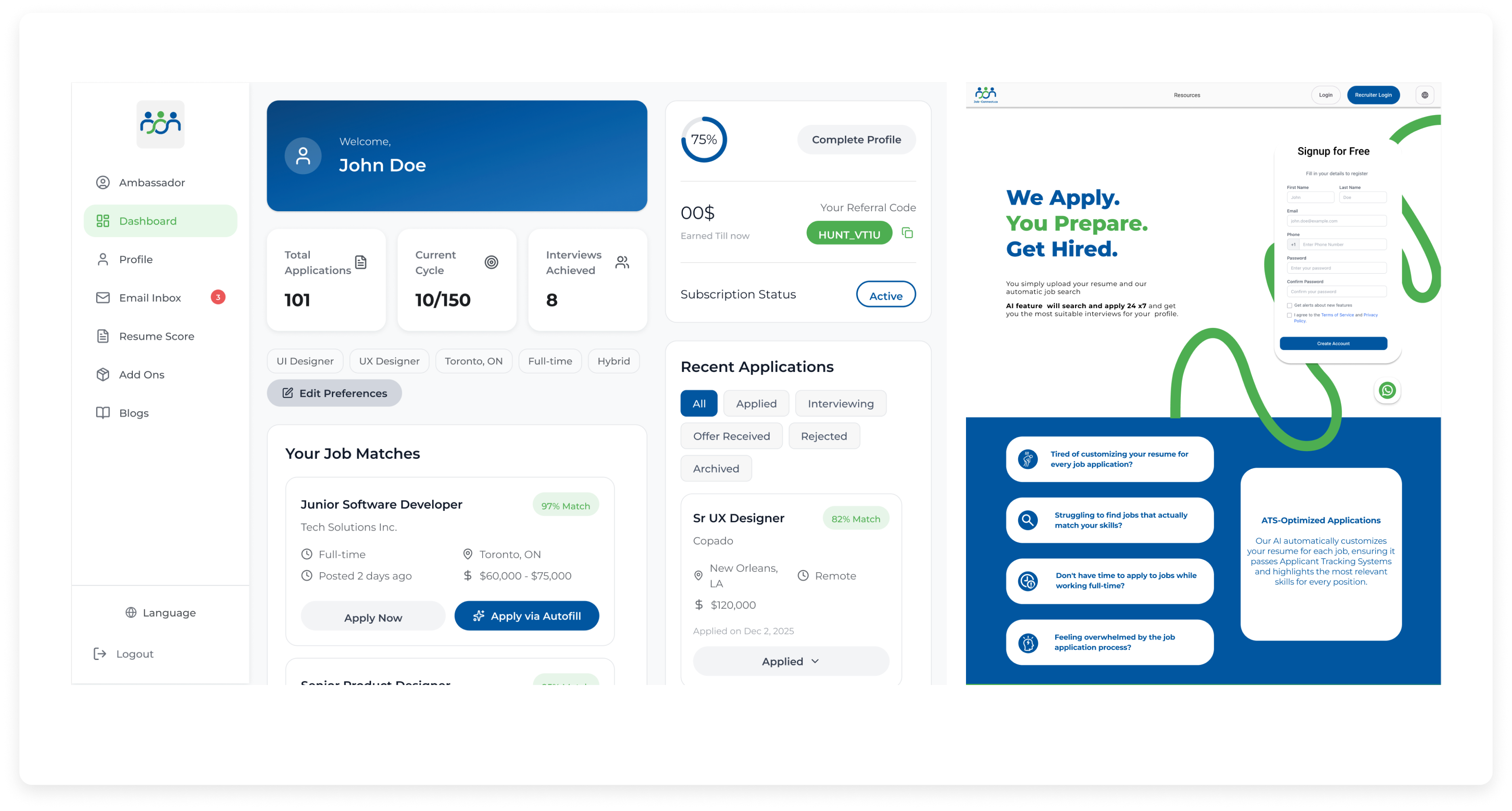
Job Connect dashboard and mobile marketing page

3 roleswith distinct goals and interfaces

2 monthsfor the platform redesign

5 stagesfrom architecture to design system

1 systemacross the product ecosystem

01 · Product context

A recruitment ecosystem with three directions of value

Job Connect uses profile and job information to recommend opportunities, surface suitable candidates and support referral-led growth. The existing product had already been in use for four months, but its structure and interface did not clearly distinguish these connected experiences.

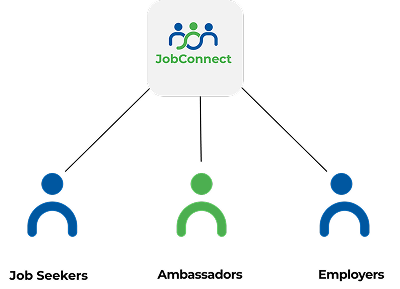
Diagram connecting job seekers, ambassadors and employers in the Job Connect ecosystem
Each role participates in the same platform but arrives with a different primary task.

02 · The problem

Users could not see the structure—or the intelligence

01

Messy interface

Visual elements lacked cohesion and a dependable hierarchy.

02

Blurred roles

Employer and candidate profiles were difficult to distinguish.

03

Confusing navigation

Important features were hard to find within the platform.

04

Unclear AI

AI functionality did not feel integrated into the user’s workflow.

03 · Role architecture

Shared foundations, clearly separated journeys

The redesign establishes a distinct dashboard and task hierarchy for each role while retaining consistent components and interaction patterns across the product.

Job seekers

Discover and prepare

  • Create a professional profile
  • Receive job recommendations
  • Review match scores
  • Use automated applications

Employers

Post and evaluate

  • Publish opportunities
  • Discover qualified candidates
  • Review compatibility
  • Contact potential hires

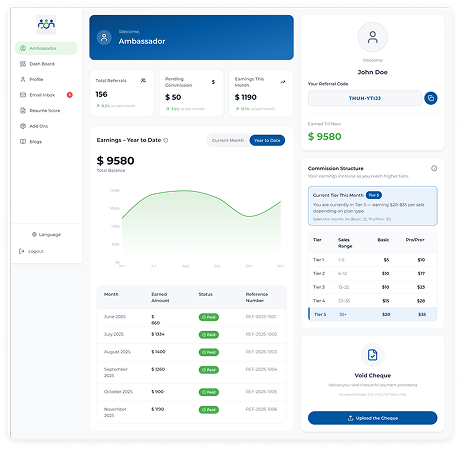
Ambassadors

Invite and grow

  • Refer people to the platform
  • Manage invitation codes
  • Track referral activity
  • Earn rewards

04 · AI-assisted matching

Make automation visible at the moment of decision

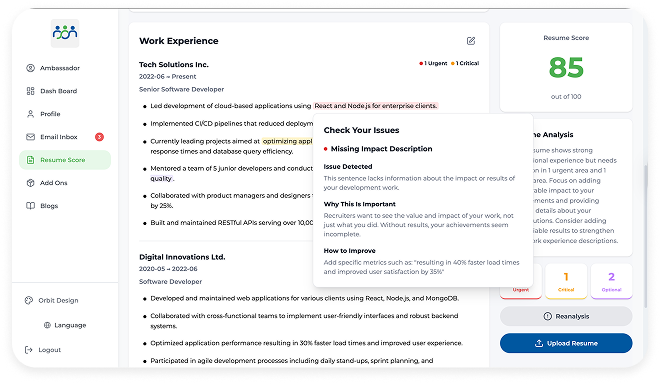
Instead of presenting AI as a detached feature, the redesign places match percentages, recommendations and resume guidance inside the tasks they support. The goal is to show the user what assistance is available and what action they can take next.
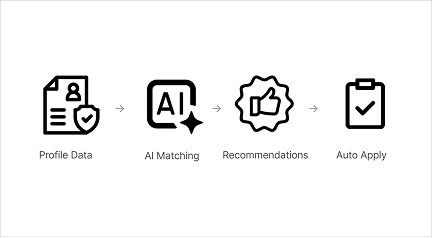
AI matching process using profile data, job descriptions, matching and applications
Profile and job information feed matching, recommendations and applications.
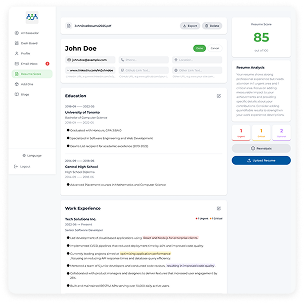
Job Connect resume assistant with priority-coded suggestions and match score
Resume recommendations are grouped by priority rather than presented as one undifferentiated list.

05 · Design process

Architecture before interface

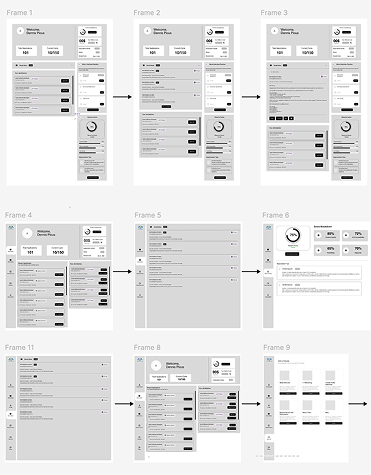
I reorganised the content hierarchy, mapped the core flow for every role and then moved from low-fidelity wireframes into distinct dashboards and a shared component system.
  1. 01Information architecture
  2. 02User-flow mapping
  3. 03Wireframing
  4. 04Dashboard design
  5. 05Design system
A collection of low-fidelity Job Connect wireframes
Low-fidelity layouts established hierarchy and task flow before visual refinement.

06 · Core product

Different dashboards, consistent interaction language

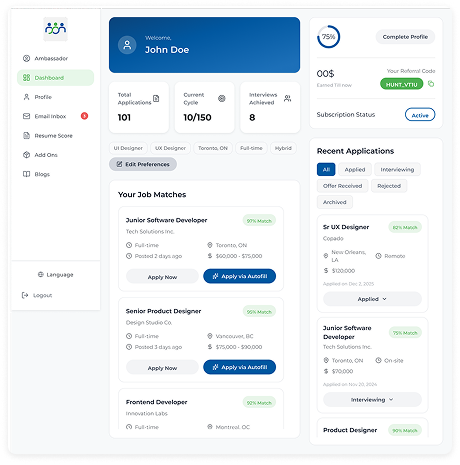
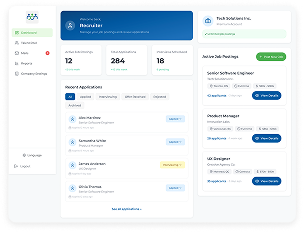
Job seeker dashboard
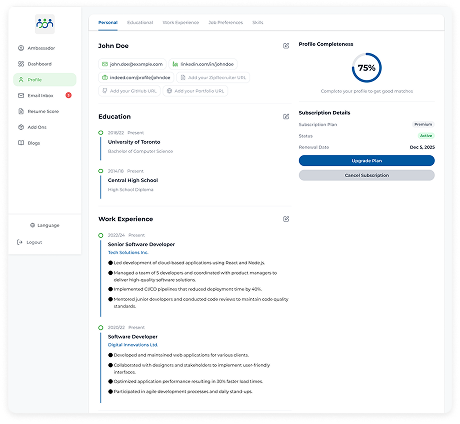
Candidate profile
Candidate profile
Employer dashboard
Employer dashboard
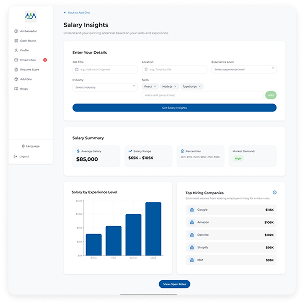
Employer add-on feature
Employer add-on
Resume suggestions
Resume suggestions
Ambassador dashboard
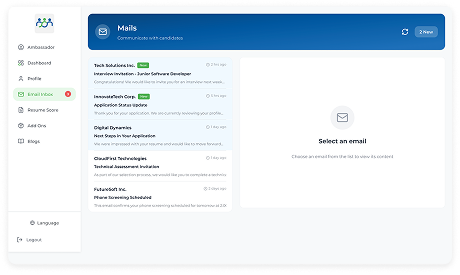
Messaging inbox
Messaging inbox

07 · Design system

Cohesion across a multi-sided product

A shared foundation for typography, colour, buttons, fields, status indicators and data components allows each role to feel distinct without making the platform feel like three unrelated products.
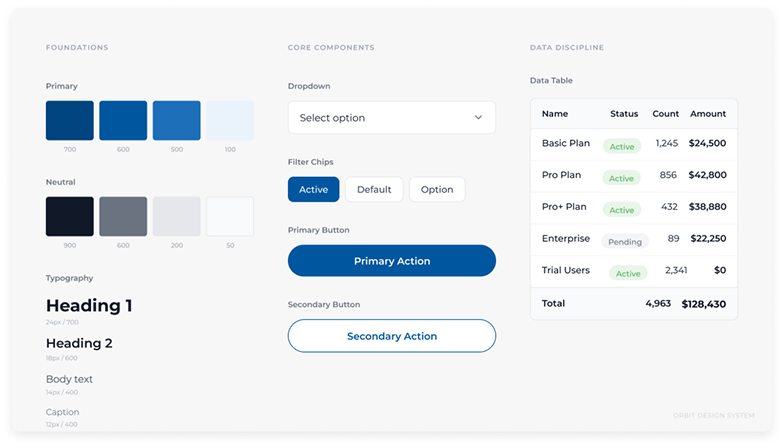
Job Connect design system with typography, colours, buttons and interface components

08 · Outcome

A clearer foundation, ready for validation

The redesign separates the three user roles, integrates AI assistance into relevant workflows, simplifies navigation and establishes a cohesive visual system. The next responsible step is usability testing—particularly around onboarding and how the platform explains automated features.

Delivered

  • Reworked information architecture
  • Role-specific user journeys and dashboards
  • AI matching and resume-assistance interfaces
  • A reusable product design system

Next to validate

  • Whether each role understands its starting point
  • How users interpret match scores
  • Whether automation controls feel transparent
  • Where onboarding needs more explanation

Reflection

“The complexity was not designing more screens. It was helping three audiences understand the same system from different positions.”